
An Introduction to Making Models for Hytale
Source: Posted by Hytale Team • December 22nd 2025 • Original Article
An Introduction to Making Models for Hytale
Creating custom models for Hytale opens up endless possibilities for content creators. This guide introduces the tools and techniques you'll need to bring your creative visions to life in Orbis.
Getting Started with Hytale Modeling
Script Brushes
Script brushes allow you to quickly create and modify terrain and structures with custom patterns. These powerful tools enable rapid prototyping and iteration, making it easier to experiment with different designs and layouts.
Prefab Editor
The Prefab editor is your primary tool for creating reusable building components. Use it to design structures, furniture, decorations, and other game elements that can be saved and placed throughout your worlds or shared with the community.
Blockbench Plugin
Hytale's Blockbench plugin integrates seamlessly with the popular modeling software, allowing you to create custom block models, items, and entities. The plugin maintains Hytale's unique art style while providing familiar workflows for experienced modelers.
Art Style Considerations
Hytale has a distinctive visual identity that balances detail with performance. When creating models:
- Maintain the blocky aesthetic that defines Hytale's look
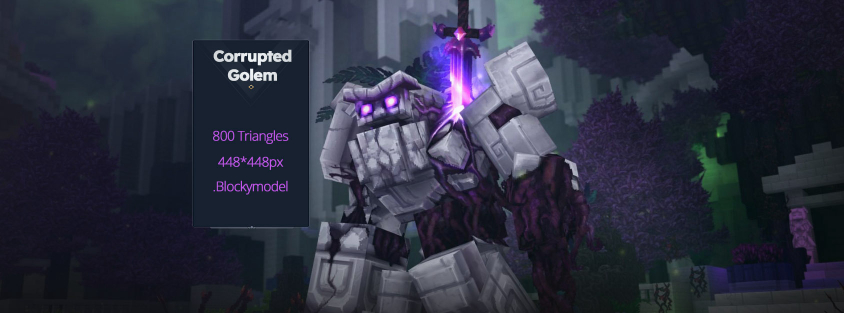
- Consider polygon count and optimization
- Use texture work to add detail without increasing complexity
- Test your models in-game to ensure they fit the overall aesthetic
Performance and Optimization
Performance is crucial in a game like Hytale, where players may encounter hundreds of custom models in a single area. Keep these principles in mind:
- Optimize geometry to reduce polygon count where possible
- Use efficient texture formats and sizes
- Consider LOD (Level of Detail) implementations for complex models
- Test performance impact before releasing to the community
Community Resources
The Hytale modding community has created extensive resources and tutorials to help new creators get started. Join community forums and Discord servers to share your work, get feedback, and learn from experienced modelers.
HytaleGames Modding Community
For creators looking to dive into Hytale modeling, we recommend starting with simple projects to familiarize yourself with the tools. Check out our Modding Resources section for more guides and community-created content!
Original Source: Hytale Official Blog • Posted by Hytale Team • December 22nd 2025